

Tailwind just announced a totally new feature called Turbo Groups, and I’m excited to share all the features with you, so you can start using it and growing your Pinterest traffic stat!
This post contains affiliate links for a product I use & highly recommend!
My Pinterest Philosophy for Product Sellers
Before I dive in, I think it helps to understand my Pinterest philosophy. I’m a firm believer in using Pinterest to get evergreen traffic to my website, resources, and products. My stance on how to best leverage this tool likely deserves its own dedicated blog post, but here it is in a nutshell:
- To make Pinterest work for you, you need to pin a high volume of high quality + unique pins.
- Tailwind is my top tool of choice to both pin & create a high volume of high quality + unique pins.
- I love Tailwind’s interval smart scheduling feature to schedule out my pins, so I don’t have to basically live on Pinterest. I can do this once a month & see traffic from my pins year-round.
- Tailwind offers many other tools to make growing your Pinterest presence way easier, like smart pins (they create pins for you based on your inputs) and their older Communities feature (think of it as like group boards you can share your stuff to, and share others’ stuff)
What is Tailwind Turbo?
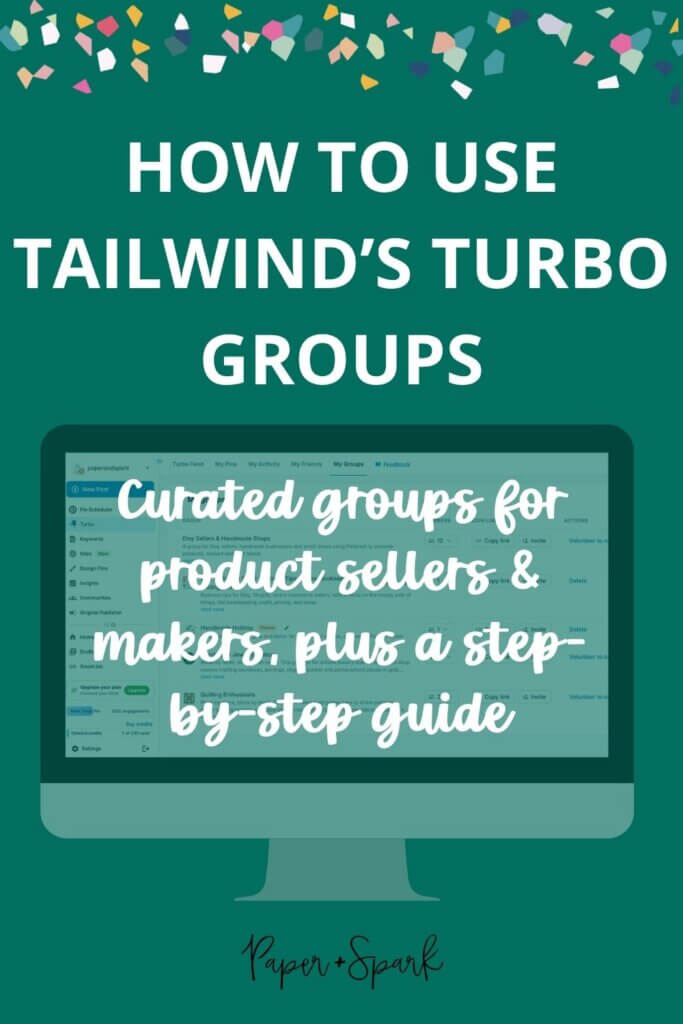
Last year, Tailwind debuted Tailwind Turbo, a feature that allows YOUR pins to get more engagement by encouraging YOU to engage with similar content from others. Think of it as a give-and-get community, similar to how the Tailwind Community feature worked.
To use Tailwind Turbo, you need to have the Turbo extension installed on your browser. You head to the Turbo Feed inside your Tailwind account, and engage with, like or comment on the curated pins selected for you. This allows you to add your own pins to the Turbo feed, for other similar creators to engage with, like, or comment on. The more you engage you do, the more pinning presence you get.
This is an especially great practice for leveraging new pins: it’s a signal to the Pinterest algo-gods that your pin is JUICY and needs to be shared in the wild! Tailwind’s beta testing of this feature found that Turbo Pins were over 300x more likely to go viral than regular ol’ pins. Crazy, right?!
Introducing: Tailwind Turbo Groups!
Until very recently, you could only select niche categories or search for topics on your Turbo feed. That helps you find pins you truly want to engage with, click, pin, and comment on. Stuff that applies to you & your audience. But now, Tailwind has just released a new feature that allows you to collaborate even more with those in your community or niche: Turbo Groups.
Like I said, the main Turbo feed shows you the entire Tailwind Turbo community. Turbo Groups are curated pins around a specific topic; it basically allows you to more easily find other creators in your niche. Plus, you can also create a Turbo Group specifically for your own community or clients (great if you are an educator with a student group or run any sort of membership/community).
Tailwind has even created some niche Turbo Groups already, and I’ve been invited to join a few that I think would be most useful to the Paper + Spark community! I selected Handmade Jewelry and Quilting Enthusiasts! I also got to make my own Turbo Groups, so you best believe I created one called Handmade Holiday to feature handmade treasures, gifts, and decor for the upcoming holiday season, and one for my own biz (which you are welcome to join if applicable!), Etsy + Shopify Seller Business Tips (Taxes, Bookkeeping, Pricing, Profit).
You are welcome to join any of these Turbo Groups:
- Handmade Holiday (made by me)
- Etsy + Shopify Seller Business Tips (made by me)
- Handmade Jewelry Makers
- Quilting Enthusiasts
How to Use Tailwind’s Turbo Groups
Anyone with a Tailwind account can utilize the new Turbo Group feature. Sign up for a Tailwind account & try it free here!
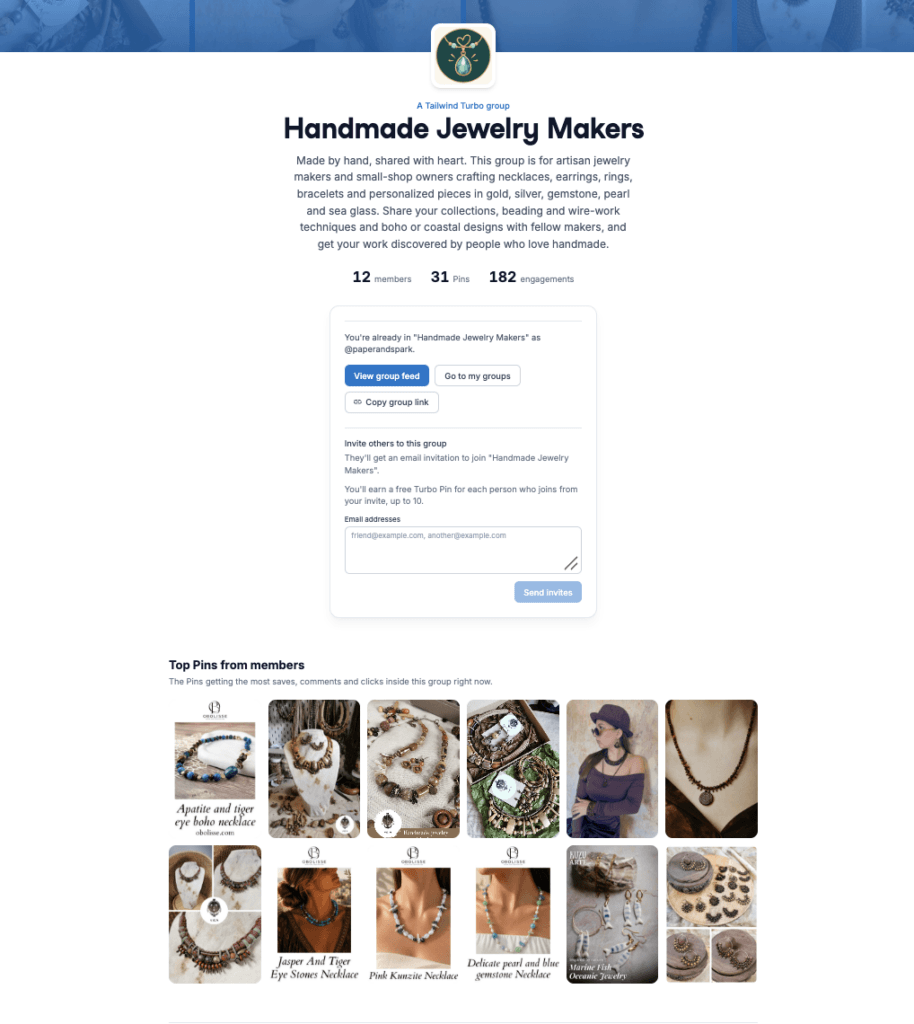
1. Join a Turbo Group by accessing their public page.
I have 4 possible groups linked for you above! You are welcome to join any of those that apply to your business. If you don’t already have a Tailwind account when you click to join, they’ll walk you through the steps of how to create an account & connect your Pinterest account.
2. Install the Turbo browser extension.
You need this to engage with Pins and get credit for your own Turbo pins.
3. Add your pins to the Turbo Feed.
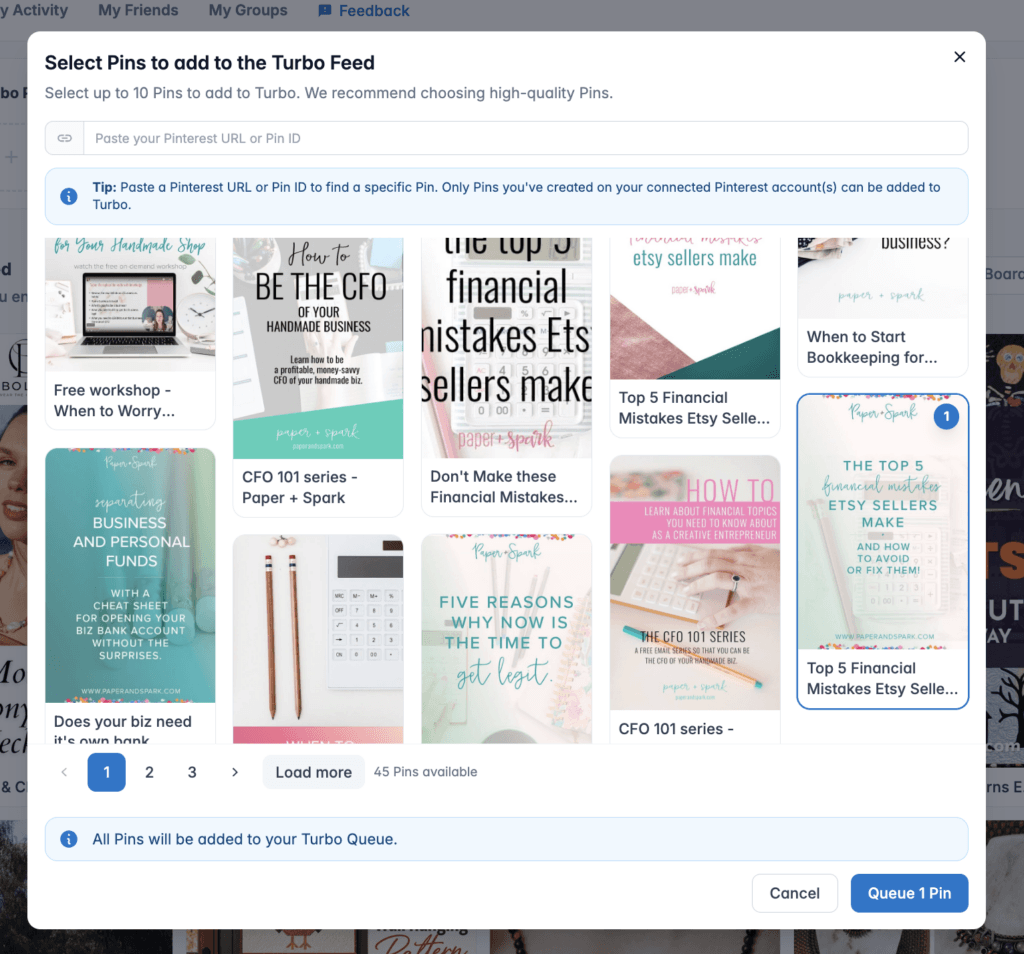
Unlike the old Tailwind communities, you don’t manually pin your stuff directly to Turbo Groups. Instead, Tailwind matches your Turbo Pins to the right groups that you already belong to (so join them first!). If your pin doesn’t match any of your group topics or niches, it will still show up in the main Turbo Feed.
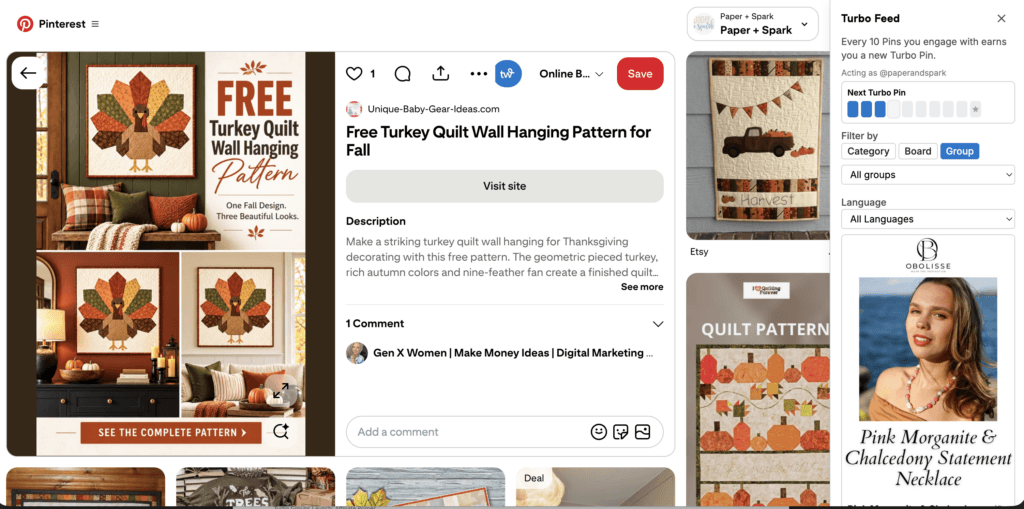
4. Engage in the Turbo Feed yourself!
This helps you earn more Turbo pins. You can use the new “Group” filter to see pins from fellow Turbo Group members. Support them!
You can also create new Turbo Groups yourself, and invite new members to join.
And there you have it! Yet another great tool from Tailwind to help you get your products shared & seen on Pinterest going into the holiday season.








Thinking of trying this but would want to make sure my niche would be there. I’d be looking for knitting & crocheting type groups as I’m a product seller that dyes yarn.
Keep in mind that you can also make your own group specific to your niche.